A Fransat decoder that refuses to display channels, stays stuck on a black screen, or loses signal for no apparent reason: we’ve all experienced that moment of frustration in front of the TV. Before picking up the phone to call a technician, a factory reset resolves most of these issues. However, it’s important to know when this action is truly useful and when the problem lies elsewhere.
Fransat signal issue: check the antenna before touching the decoder
We often reset the decoder out of habit, while the fault may actually be with the satellite dish. During the transition from the orbital position EUTELSAT 5 West A to EUTELSAT 5 West B, followed by the subsequent frequency rearrangements, Fransat issued technical bulletins for antenna installers. The finding: undersized or slightly misaligned dishes became unstable despite a perfectly functioning decoder.
On specialized forums like TVNT, many cases of “stuck decoders” reported over the past few years turned out to be issues with alignment or degraded coaxial cables. You can refer to it as a complete guide to reset a Fransat decoder on Planet X Tech and understand the distinction between software failure and installation failure.
A quick test: unplug the coaxial cable from the back of the decoder, then plug it back in firmly. If the signal returns, the problem was mechanical. If the screen remains black or displays “no signal,” check the alignment of the dish towards the 5° West position before any other action.
Factory reset of the Fransat decoder: step-by-step procedure
When the decoder is stuck on a menu, does not respond to the remote control, or displays an incomplete channel list after an update, restoring factory settings is the right approach. Here’s how to proceed on most models.
- Turn on the TV and then the decoder. If the home screen does not appear, check that the correct input channel (HDMI or SCART) is selected on the TV.
- Access the main menu with the decoder remote, then select “Settings” and then “Maintenance.”
- Enter your PIN. If you have forgotten the PIN, press the blue button twice on the remote and enter 4000 (default code on most Fransat models).
- Select “Reset” and then confirm with “Yes.” The decoder will restart and initiate the initial setup.
Once the process is complete, the decoder automatically scans for available channels on the satellite. The operation takes a few minutes. All personalized data (favorites, channel order, scheduled recordings) will be erased.

The Fransat card: a often overlooked point
The reset is pointless if the Fransat access card is poorly inserted or faulty. Remove it, clean the gold chip with a dry cloth, and reinsert it in the correct orientation (chip facing down on most models). A decoder without a valid card will display the free channels but not the encrypted channels of the bouquet.
If the card is no longer recognized after reinsertion, it may be an access rights issue. Leaving the decoder on a channel from the bouquet for about twenty minutes sometimes refreshes the rights sent by the satellite.
Old Fransat decoder: when the reset is no longer enough
Not all Fransat decoders are created equal. Some older HD models, while still mechanically functional, no longer receive the necessary software updates for interactive HbbTV services and certain access control updates. A list of “unsupported” receivers has been distributed to professionals via the Fransat installer space.
In practical terms, if your decoder is several years old and problems persist after a complete reset, replacing the unit may be the only long-term solution. Feedback on this point varies: some users of older models experience no issues, while others see malfunctions multiply after each system update.
Signs pointing to an obsolete decoder
- The menu is abnormally slow, with response times of several seconds for each button press.
- The decoder restarts itself repeatedly, even after a factory reset.
- Some channels regularly disappear from the list despite successive channel searches.
- The program guide (EPG) no longer displays or remains empty.
In these cases, a simple reset only postpones the problem for a few days or weeks.
Fransat troubleshooting before calling customer service: last reflexes
Before contacting the customer service of your decoder’s manufacturer, two simple actions resolve a good portion of residual blocks.
Unplug the power supply of the decoder for about thirty seconds, then plug it back in. This electrical restart forces the clearing of volatile memory and can unlock a frozen system without erasing your settings.
If the problem concerns only the image (pixelation, intermittent black screen, “no signal” message), test another HDMI cable. Faulty or poorly connected cables are responsible for a significant portion of failures wrongly attributed to the decoder or satellite.
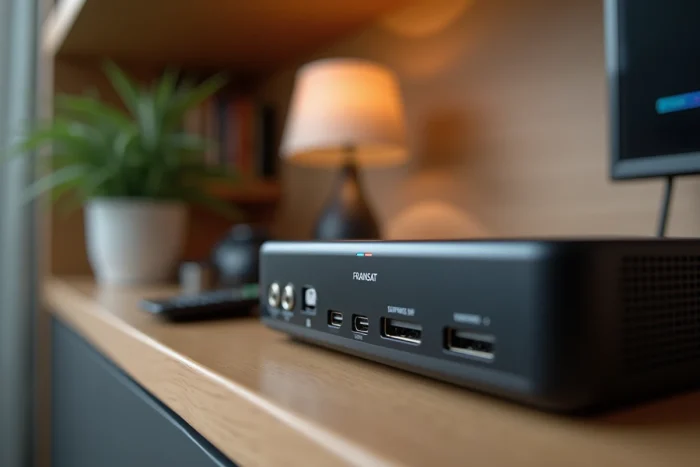
The manufacturer’s customer service remains the appropriate recourse when the decoder does not turn on at all, when it overheats abnormally, or when the reset fails with a specific error message. Note the exact model of your unit and the software version (accessible in the “System Information” menu) before contacting them: this data significantly speeds up diagnosis.